Search Engine

Showing posts with label Chang Kar Sing. Show all posts

Corporate Blogging: A new marketing communication tool for companies.

Friday, July 3, 2009


Corporate blogging is publishing blogs to reach its organizational goals. "Blog" is another name for post. Blogs in the corporate level has 2 different category. Internal and external blogs. The name speaks for itself, right? Internal blogs are blogs meant for the corporation's internal use only. Internal blogs are like intranet of the corporation. But since intranet is available, why do an organization need an internal blog?

A blog comes easy with commentaries as well as graphical depicts such as photos and videos. When using a blog, employees can view the weblog and allows anyone to post on it. It informally increases employee's participation in giving feedback, voicing complaints and well as giving suggestions to matters they do not dare to comment on when face to face with authority. There's also a sense of community.

An external blog is a blog that is open to public. The term public means that everyone and anyone can view the weblog. The point of "anyone and everyone" actually refers to customers. As blogging is becoming more popular, it can help spread attention very quickly. As long as you have interesting stuff updated to your blog, you can attract traffic faster than the work hour. Besides that, a blog I suppose is rather less messy and easier to read than a website or some flyer.

A blog doesn't need to be sold hard like other promotional efforts do. The point I want to make is that blogging does not need to be sold only as a way to have a conversation with your readers, customers and clients. As if an interaction of the business with it clients, on its newest promotion like a friend telling his friends what are the new fashion or trends available.

The primary purpose of a business is sales. And every marketing tool should support that purpose. I now have proof that blogging does, when done correctly and when our posts serve our reader's wants and needs, the basic foundation of all marketing and branding efforts. Furthermore, it is easy to manage, maintain and update your blog compared to a website.

A successful example of corporate blogging: Tenji Japanese Buffet Restaurant


(Sources:
http://en.wikipedia.org/wiki/Corporate_blog
http://www.mpdailyfix.com/)

Read more...

Electronic Currency

Thursday, July 2, 2009

How convenient would it be if we could click on bank notes. As e-commerce is being practiced more widely, more transactions will be made. From payments of buying clothes from an online boutique to subscription fees to an online news provider. The stores could be made virtual from bricks to clicks. However, conventional payments still require physical substance like gold and banknotes. Of the development of currency, from cowrie shells to cattle, to banknotes and cheques, and now to credit cards.


Because e-commerce is relatively new, consumers choose payment methods of credit card rather than other electronic payments systems made to them. The reason is simply the familiarity of the method. Besides that, credit card provides consumer with advantages such as a credit purchase that exceeds the amount of salary the person makes, provided he pays off his account every month. On the other side of the coin, credit cards are also vulnerable to theft and fraud. Internet sellers especially dislike credit card payments because it is subjected to percentage fees which erodes profit margin.

Soon, Internet sellers who do not like the cost or risk associated with credit cards will demand money from buyers, just as sellers in real space often do. When that happens, the market will need electronic currencies that can circulate from computer to computer, around the world. Electronic money, e-money, electronic cash, electronic currency, digital money, digital cash or digital currency refers to money and scrip which is exchanged only electronically.

Based on the book: A History of Money from Ancient Times to the Present Day by Glyn Davies, beginning of 1995, over 90% of all transactions in United States are made electronically. In the same year, trials of the Mondex smart card which is intended as a replacement for cash was introduced in Swindon in Britain while cryptographer Dr. David Chaum developed anonymous form of digital money. And in 1999, Euro becomes the currency of 11 of the member states of the European Union (Belgium, Germany, Spain, France, Ireland, Italy, Luxembourg, the Netherlands, Austria, Portugal and Finland). Therefore Europe enters the 3rd millennium with a new currency.

The link between them?

The main idea of electronic currency is to create a single currency only transferable electronically which is not affected by currency exchange rate like real cash do.
Global electronic currencies will benefit Internet commerce in two ways. First, the currencies can serve as universal media of exchange. Once a user acquires a global electronic currency, he can enter into transactions around the world without having to pay exchange fees. Second, the currencies will provide global units of account, enabling buyers and sellers all over the world to understand what goods and services are worth without calculation.


Now how is E-currency made possible?

Public-key cryptography and digital signatures (both blind and non-blind signatures) make e-money possible. The basic gist is that banks and customers would have public-key encryption keys. Public-key encryption keys come in pairs. A private key known only to the owner, and a public key, made available to everyone. Whatever the private key encrypts, the public key can decrypt, and vice verse.

Banks and customers use their keys to encrypt (for security) and sign (for identification) blocks of digital data that represent money orders. A bank "signs" money orders using its private key and customers and merchants verify the signed money orders using the bank's widely published public key. Customers sign deposits and withdraws using their private key and the bank uses the customer's public key to verify the signed withdraws and deposits.

The 2 types of E-currency.

In general, there are two distinct types of e-money: identified e-money and anonymous e-money (also known as digital cash). Identified e-money contains information revealing the identity of the person who originally withdrew the money from the bank. Also, in much the same manner as credit cards, identified e-money enables the bank to track the money as it moves through the economy. Anonymous e-money works just like real paper cash. Once anonymous e-money is withdrawn from an account, it can be spent or given away without leaving a transaction trail. You create anonymous e-money by using blind signatures rather than non-blind signatures.

(Sources:
http://en.wikipedia.org/wiki/Electronic_money
http://projects.exeter.ac.uk/
http://www.law.berkeley.edu)

Read more...

How to safeguard our personal and financial data?

Tuesday, June 30, 2009

Data, considered as a valuable asset is definitely the thing most wants to get hold to. Data of customers or of the company itself, are able to disclose information that are normally very difficult to be attained. Contact number, address, credit card number and bank account number are such information hidden within the data of a person from the strangers. However by knowing all these data of a person, it is possible to perform illegal activities on that person. For example, hacking into his bank account to withdraw his personal savings. The data can also be used to manipulate the person, that is by knowing things he like, special promotional activities can be used to target him.

With the ever growing potential and usage of the internet, it is crucial to maintain a high level of security to ensure our privacy. How exactly should one protect and keep his personal data, especially financial data from being intruded and exploited?

1. Be sure to keep your personal and sensitive data off your computer. What can a virus or spyware program possible do with your personal data if you don’t store it on your computer? It’s simple and very effective. Try your best to keep bank account numbers, passwords, etc off your computer. If you want to keep it in electronic format for easy access, that’s fine, simply buy a secondary storage (pendrive) and store all the sensitive files there. Keep it in a safe place and if you need to refer to the documents, then just plug in your drive. What can someone steal when there's nothing to be stolen?

2. Try to connect only to secured network. If you have a home wireless network, secure it quickly. Connecting to non-secure wireless networks is asking for trouble. Most people’s computers constantly have spyware on their computers because they connect to lots of insecure hotel wireless networks constantly. Try avoiding sharing network especially public network if possible.

3. If you have to do any online transaction, clear your browser’s cache after each transaction. Sometimes your browser will save certain information you typed into forms or blanks when you are online, so it’s always good to clear that after you’re done. Also, if you get that message sometimes from your browser asking you whether you want it to automatically save your passwords, click no. If you do, someone else using your computer will have access to it without having to login because you've SAVED the password!

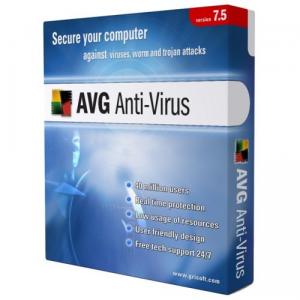
4. Make sure anti-virus and anti-spyware are installed and up-to-date. You can either buy excellent anti-virus programs like Kaspersky Anti-Virus or free programs like AVG, which is pretty good too. Either way, make sure you have something installed. Make sure you have a strong firewall too, to block unauthorized access as well as to fend off annoying pop-ups. Don't forget to constantly scan your hard drive for viruses too, in case any sneaked in.

5. Make sure the URL has an HTTPS instead of HTTP. The S makes all the difference because it stands for secure. When you buy something from Amazon or another big site, once you being to checkout, the URL always starts with a HTTPS. This means that the communication between your computer and their server is secure and encrypted. If someone tries to read the data as it travels across the Internet, they won’t be able to understand or decipher it. If you’re buying something from a smaller site and they don’t have HTTPS, and its more risky.

6. Try to "lock" your computer when you're not using it. This is another one of those tips that most people don’t think about, especially at your office. If you leave for lunch and your computer is just on without a password-protected screen saver, what will stop a snoopy co-worker to get onto your computer and look through your personal information? It may not seem likely, but it can very well happen and it’s better to press CNTRL-ALT-DELTE and press Lock Computer or put a password on your screen saver or simply use an extra program like Lock My PC.

7. Be careful who you give your computer to when it needs fixing. Sad to have so many unethical people around. People simply trust technical support people too much. If someone is going to fix your computer, have them come over to your house and just watch as they do it. When you’re off in another room while they fix your computer, they can also be copying your entire hard drive for themselves. Its just as easy as 1,2,3 for them to copy your whole hard drive for them to slowly explore after that to dig up your personal data.

8. If you really have to send or save very important data in your computer, use advanced techniques like encryption, anonymous browsing, virtualization software to hide them. You can encrypt your data, browse the Internet anonymously, or run IE or Firefox in a virtual environment. The advantage of the latter is that you can actually catch a virus or spyware program in the virtual environment and it won’t affect your operating system at all.

If your personal information is really that important, or if you simply like to keep your personal information personal, put more effort into precaution. Fend of attacks before you get attacked. Offensive is always better than defensive. It is better to prevent than to cure.

(Sources:
http://www.online-tech-tips.com
http://images.google.com)

Read more...

An example of E-commerce failure and its causes.

Tuesday, June 23, 2009


In 1963, MCI was founded as Microwave Communications, Inc. by John Goeken to offer long-distance telephone service for businesses between Chicago, Illinois and St. Louis, Missouri. When it ran into problems competing with AT&T, which at the time had a government-supported monopoly in telephone service, it moved to Washington, D.C. to be close to federal regulators and lawmakers. The joke is that in its early years, MCI had more lawyers than land lines. The antitrust lawsuit that it filed against AT&T eventually led to the company's breakup by regulators, reshaping the nation's telecommunications.

It grew to be the second largest long-distance provider in the U.S. It was purchased by WorldCom in 1998 and became MCI WorldCom, and afterwards being shortened to WorldCom in 2000. WorldCom's financial scandals and bankruptcy led that company to change its name in 2003 to MCI. The MCI name disappeared in January 2006 after the company was bought by Verizon.

While all this was happening, in 1995, MCI introduced one of the first ever serious attempt at an e-commerce music store by launching the 1-800 MUSIC NOW. It operated through automated telephone prompts. The service allowed United States users who dialed the toll-free number 1-800-687-4266 to enter the name of a performing artist by touch-tone, then select one of that artist's albums from the catalog and hear clips from that album before buying by credit card.

Once users made selections on the automated service, they were transferred to a call center where an operator established an account, collected payment and shipping information, assisted in ordering, and completed the order. Subsequent ordering could be accomplished through the automated system without human assistance.

The online service was located at http://www.1800musicnow.mci.com. It was the first to offer free music sampling for most of its catalog—initially in RealAudio 1.0 and eventually in RealAudio 2.0. Despite heavy investment in its USD$ 40 million promotion (including advertisements in MTV and Simpsons Hamerpalooza episode) and administrative system, top-selling CD stands at a poor 400 copies. After a year, the online store shut down in December 1996.

An obvious symptom of the downfall of MCI's 1-800 MUSIC NOW was the poor development of the music industry on that year. It subsequently led to music retailers into deep discounting that year. Besides that, the site wasn't user friendly enough. It is difficult to use, rendering consumers to purchase rather through traditional stores. To add up to that, the most visible and sensitive disadvantage was the prices were relatively higher than traditional stores.

Furthermore, consumers had to go through cumbersome sequences of registering themselves, choosing the right song, giving shipping information and lastly verifying their credit card. A survey noted that many of them did not make purchases, is not because of the extra shipping fees, but because they doesn't have a credit card.

(Sources:
http://wikipedia.org
http://www.absoluteastronomy.com
http://www.thefreelibrary.com
http://images.google.com)

Read more...

Greetings from Chang Kar Sing

Friday, June 12, 2009


I'm 21 from Ipoh, Perak, currently a third year undergraduate from University Tunku Abdul Rahman (UTAR). My Dad and Mom are blessed with me and my elder sister. Thank God, that's already enough to turn my Dad's hair white.

As a member of the generation-Y cohort, I'm stereotyped with heavy usage and knowledge of the digital world - the Internet. Remembering when I was smaller, perhaps 7 or 8 year-old, that was the time where Internet's era began. I began using the internet at the age of 12, for purposes of chating online and playing games. As I grew older, it seems the Internet is growing 10 times as fast as I am. It's vast development, usage and size has proven its influence on mankind. Soon, the whole world is submerged by the Internet with the introduction of globalisation. To cope with the trend, whether in lifestyle and business, older people are beginning to learn and adopt the Internet into their daily routine.

For me, I'm still hidden in my little island. Bit by bit, inch by inch, I have drawn myself closer to the real world as I grow, from chating to browsing around for song lyrics, then getting tips and hacks for games, google-ing, surfing the internet for news, using virtual dictionary, gathering information, locating articles and journals, and finally to blogging. Today, I realise that the Internet comprises of many inter-related fields. Nevertheless, one most important field is the electronic commerce (e-commerce). By using the power of the Internet, people like managers and executives manipulate consumers to generate revenue for them. Online auctions, online advertisement, online stores, online banking, online gaming, online shopping and even paying bills online. Many things has been virtualized, to ease the consumer and also the company itself. In future, perhaps everything will be virtualized.

Realising the power and opportunity of the Internet, e-commerce is one extremely effective tool in helping a company in promotion, sales and profit generation. Therefore, it comes to the conclusion of this post and the beginning of this blog, about e-commerce.

My top 5 websites are first of all youtube (http://www.youtube.com/). It is my main source of media and entertainment, from music videos to educational videos to gaming videos, all together in 1 site. Best thing is, there's update daily. It is included in my top 5 activities which I would like to call "youtube-ing".

Besides that, with so much things to discover and so much to learn about, I simply google (http://www.google.com/) whatever information I need on anything and results pop out in no time. News, songs, lyrics, pictures, slides, blogs, websites, facts, knowledge, just name it! It's call "google-ing". (sounds sticky =p)

I also often stop by the online dictionary (http://dictionary.reference.com/) to look up for words that I don't understand. Simple movements of finger and BAM!, I get the meaning, the synonyms, the antonyms and other similar words. Can anything be more convenient? You tell me.

To enhance and ease my learning experience, I included a collaboration of a virtual encyclopedia, perhaps one of the best online (http://wikipedia.org/). I use it to read general overviews of peoples, places, incidents, news and many more. For example, I use it to understand more about the profile of an important person, like Bruce Lee.

Last but not least, to keep myself in touch with the world and to know whats happening around the globe, I read news online (http://www.thestar.com.my/). Its the same as buying newspaper, the difference is its free and it doesn't use up space and I can view it anytime I want to.

Read more...

  © Blogger templates Newspaper by Ourblogtemplates.com 2008

Back to TOP